
GREATGADETS / GAMING GEAR BUYING GUIDE
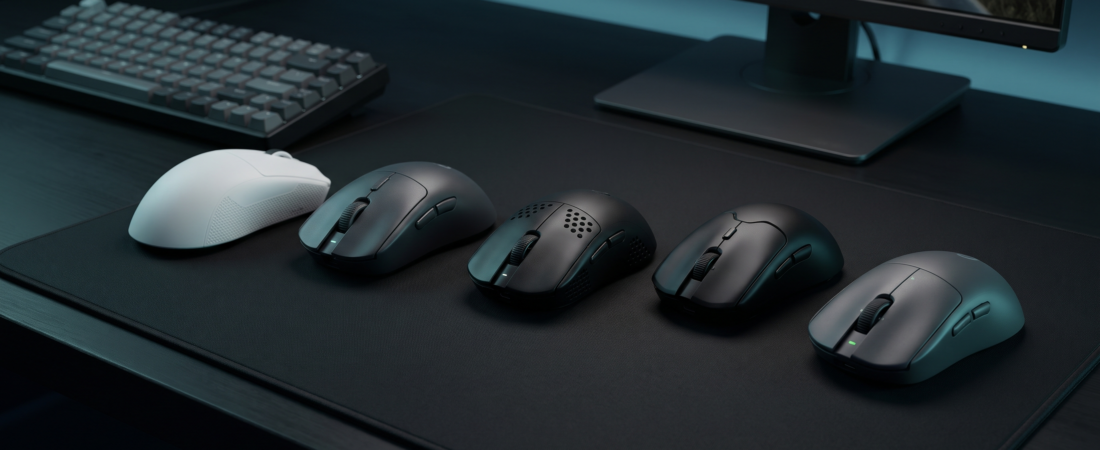
The best gaming mouse for an FPS is not necessarily the one with the most DPI or the biggest price tag. For Counter-Strike 2, VALORANT, Apex Legends and other shooters, the right grip and dependable tracking matter more.
Updated November 9, 2026 • 12 carefully selected mice • Independent research, not hands-on GreatGadets testing
Affiliate disclosure: As an Amazon Associate I earn from qualifying purchases. This article may also include other affiliate links. GreatGadets has not personally tested the mice listed here; recommendations are based on linked independent evaluations, manufacturer documentation, shape considerations and publicly available user feedback.
You peek. You flick toward an enemy in VALORANT. You try to hold your crosshair steady through a spray in Counter-Strike 2. Or you track a target sliding across your screen in Apex Legends. Your mouse should feel predictable through all three movements. It should not make you constantly adjust your grip, drag a heavy shell across the pad, or fight a cable.
But here is the part many “best FPS mouse” lists miss: the fastest sensor cannot fix a shape that is uncomfortable in your hand. If you already own a competent gaming mouse, changing its fit may matter more than jumping from a 1,000 Hz to an 8,000 Hz polling rate. Independent mouse specialists at RTINGS and PC Gamer make similar distinctions between measurable hardware differences and what actually feels different in play.
We reviewed the current flagship landscape, individual specifications, independent testing, and selected real-owner discussions for recurring trade-offs. This is a research-based buyer’s guide, not a claim that GreatGadets conducted original latency tests or played 100 matches with each mouse. If you’re choosing today, start with grip style, hand size, and budget—then decide whether premium click features are worth paying for.
Our quick answers: the best FPS gaming mice for different players
For most players: Razer Viper V4 Pro. For adjustable actuation: Logitech PRO X3 SUPERSTRIKE. For right-handed palm grip: Razer DeathAdder V4 Pro or ZOWIE EC2-DW. For very small fingertip grips: Pulsar X2 CrazyLight Mini. For a wired mouse: Endgame Gear OP1 8K v2. For performance on a budget: MCHOSE L7 Pro or Keychron M3 Mini.
These are fit-based recommendations, not a claim that one model wins every measurable category. In the current market, even much cheaper mice can approach flagship tracking performance; durability, warranty, skate feel, and shape still separate them.
01 / COMPETITIVE FLAGSHIPS
The best FPS mice if performance and precision come first
If you play ranked seriously and want a premium mouse, these are sensible starting points. Consider grip shape and click feel before paying for newer switch technologies.

BEST OVERALL FOR MOST FPS PLAYERS • 01 / 12
Razer Viper V4 Pro
A lightweight competitive all-rounder for aim-heavy shooters
Weight: about 49 g (black) • Style: Symmetrical; best suited to claw and fingertip, depending on hand size
Connection: 2.4 GHz wireless / wired; up to 8,000 Hz • Cost tier: Premium
If you want one flagship to compare every other FPS mouse against, start here. The Viper V4 Pro combines a familiar low-profile shell with a 50K optical sensor, 2.4 GHz wireless, optical switches, and a notably light build. RTINGS found its sensor and click performance exceptional, while ProSettings reports substantial uptake among professional VALORANT players. That does not mean it will improve your rank by itself; the reason to consider it is the combination of predictable tracking, weight, and a shape many competitive players already know.
Why consider it: A strong fit for players who make repeated flicks, track moving targets, and prefer a flatter symmetrical shell.
Who should skip it: Its main clicks are notably loud. A relaxed full-palm grip, especially with a large hand, may feel better on an ergonomic alternative. Premium pricing.
Research note: Owner feedback is divided on the loud, tactile clicks: some like the firm response; others find them distracting. See the linked independent review and discussion.

BEST FOR ADJUSTABLE CLICK FEEL • 02 / 12
Logitech G PRO X3 SUPERSTRIKE
An enthusiast choice if you want to tune actuation and reset
Weight: about 59 g • Style: Symmetrical; broadly accommodating
Connection: LIGHTSPEED wireless / wired; up to 8,000 Hz • Cost tier: High-end
Logitech’s late-2026 PRO X3 SUPERSTRIKE replaces conventional primary-button switching with adjustable haptic inductive triggers. You can tune how far each click travels before activation and how quickly it resets, then adjust simulated click feedback. Independent RTINGS testing, published October 23, 2026, found extremely low and consistent sensor and click latency. This is a genuine technical differentiator rather than simply a higher DPI number, but the measurable advantage is small for most players.
Why consider it: Useful for enthusiasts who enjoy tuning inputs and want quiet main buttons with configurable actuation.
Who should skip it: It costs more than excellent alternatives; very shallow actuation settings can cause accidental clicks, and the feet feel slower than premium PTFE on some pads. RTINGS noted a slightly forward-weighted feel.
Research note: The older PRO X2 SUPERSTRIKE may be a better value if discounted. The X3 offers iterative improvements, not a dramatic gameplay leap.

BEST RIGHT-HANDED ERGONOMIC FPS MOUSE • 03 / 12
Razer DeathAdder V4 Pro
Comfort-first shaping without giving up flagship performance
Weight: about 56 g (black) • Style: Right-handed ergonomic; particularly attractive for palm and relaxed-claw grips
Connection: 2.4 GHz wireless / wired; up to 8,000 Hz • Cost tier: Premium
The DeathAdder V4 Pro is the choice to investigate if flat, symmetrical mice leave your hand tense. Its curved right-handed shell gives the palm more support, while Razer’s Focus Pro 45K sensor, optical wheel, and current-gen optical switches keep the performance hardware firmly in flagship territory. The shape matters more than the extra DPI: if the outer contour lets you relax your grip, steady aiming becomes easier to sustain across longer CS2 or Apex sessions.
Why consider it: Excellent option for right-handed players who want ergonomic support and a light mouse without going back to a bulky productivity shape.
Who should skip it: The pronounced ergonomic contour is a poor fit if you prefer a low, neutral fingertip hold; clicks may sound sharp. It is expensive.
Research note: Razer rates the black version at 56 g and battery life at up to 150 hours at 1,000 Hz; the published maximum is much shorter at 8,000 Hz.

BEST ESTABLISHED ALL-ROUND SHAPE • 04 / 12
Logitech G PRO X SUPERLIGHT 2
A familiar symmetrical fit that still makes sense at a discount
Weight: about 60 g • Style: Symmetrical with central hump; adaptable to several grip styles
Connection: LIGHTSPEED wireless; up to 8,000 Hz depending on firmware/receiver configuration • Cost tier: Upper mid-range / premium
The PRO X SUPERLIGHT 2 is not the newest Logitech flagship, and that is exactly why it belongs here. Its proven 60 g shape remains a sensible benchmark for players who want a no-drama mouse that works across multiple shooters and who do not need adjustable haptic clicks. Logitech uses the HERO 2 sensor, LIGHTFORCE switches, USB-C charging, and a conventional competitive layout. It is particularly worth revisiting when its price drops below newer flagships.
Why consider it: A versatile starting point for players who do not yet know whether they prefer an aggressive claw or fuller palm contact.
Who should skip it: It is heavier than new ultralights and does not bring the X3 SUPERSTRIKE’s actuation adjustment. The shape will still be wrong for some hands.
Research note: Compare the final sale price with the Viper V4 Pro and PRO X3; being older is only an advantage when the price is sensible.
02 / HAND SIZE AND GRIP
Best fits for ergonomic, compact and fingertip players
Many purchasing regrets come from picking a famous mouse with the wrong body shape. These three address distinct fit problems.

BEST DRIVERLESS ERGONOMIC OPTION • 05 / 12
ZOWIE EC2-DW
Classic competitive shape with minimal software fuss
Weight: about 60 g • Style: Right-handed ergonomic; medium size
Connection: 2.4 GHz wireless; up to 4,000 Hz • Cost tier: Premium
ZOWIE emphasizes shape consistency and tournament-style practicality over a long list of software features. The EC2-DW uses a medium right-handed ergonomic shell and an enhanced receiver that doubles as a charging dock. DPI, lift-off distance, polling rate, and click-response settings are adjustable without installing a driver. This is particularly appealing if you use a shared PC, travel for events, or simply do not want another permanent background app.
Why consider it: A good candidate for CS2 or VALORANT players who prioritize grip feel, repeatable setup, and a straightforward wired-free desk.
Who should skip it: Only a handful of preset DPI values, fewer customization options than many rivals, and a less aggressive weight target than today’s lightest mice.
Research note: ZOWIE lists 60 g and up to 80 hours at 1,000 Hz, decreasing to approximately 24 hours at 4,000 Hz.

BEST PREMIUM COMPACT SHAPE • 06 / 12
Scyrox V6
An extremely lightweight FPS mouse built for precision, speed, and competitive gaming.
Weight: about 43.8 g • Style: Compact, symmetrical design; small hands or aggressive claw/fingertip
Connection: 2.4 GHz wireless / USB-C wired and up to 8,000 Hz • Cost tier: Midrange / Value
The Scyrox V6 is an excellent option for competitive FPS players who want an ultralight gaming mouse without spending flagship prices. Weighing approximately 44 grams, it offers fast movement and easy repositioning, making it particularly appealing for games like VALORANT, Counter-Strike 2, and Apex Legends. Its PixArt PAW3950 sensor and support for up to 8,000 Hz polling provide competitive tracking performance. The compact design and raised central hump make it particularly suitable for claw-grip players who prefer precise control during quick flicks and micro-adjustments. Although Scyrox is less established than Logitech or Razer, the V6 offers impressive hardware for its price.
Why consider it: The Scyrox V6 combines an extremely lightweight design, responsive sensor performance, and a compact shape at a relatively affordable price. It’s a strong choice for competitive players who prioritize precision and control.
Who should skip it: Players with larger hands or those who prefer a full palm grip may find the mouse too small. Scyrox also has a less-established support network and software ecosystem than major gaming brands.
Research note: Independent testing has highlighted the Scyrox V6’s low weight, responsive sensor, and smooth glide. However, shape preferences vary considerably, and buyers should consider hand size and grip style before purchasing.

BEST EXTREME ULTRALIGHT MINI • 07 / 12
Pulsar X2 CrazyLight Mini
For fingertip players who know they want a tiny mouse
Weight: about 35 g with dot skates; about 37 g with regular skates • Style: Mini symmetrical; claw and fingertip
Connection: 2.4 GHz wireless; up to 8,000 Hz • Cost tier: Specialist premium
Pulsar’s X2 CrazyLight Mini is dramatically lighter than conventional esports mice. Its 115.6 mm length and small body support fingertip and compact claw grips where the player actively moves the mouse within the hand. The XS-1 sensor, optical switches, and included high-polling receiver keep the spec sheet competitive. But there is an important trade-off: very light and very small are not the same thing as universally comfortable.
Why consider it: Great shortlist candidate for players already comfortable with small shells and seeking minimal mass for fast micro-corrections.
Who should skip it: Avoid buying blind if you have large hands, palm grip, or prefer a planted heavier feel. Check included skates: stated weight depends on the type installed.
Research note: Pulsar separately sells a larger Medium size. This recommendation is specifically for the Mini.
03 / WIRED PRECISION
Best wired FPS mice when charging is not a priority
Wired is not automatically faster than today’s good 2.4 GHz wireless; it can still be cheaper, simpler, and easy to trust when your cable is well managed.

BEST WIRED MOUSE FOR CLAW GRIP • 08 / 12
Endgame Gear OP1 8K v2
Top-level responsiveness without charging or wireless upkeep
Weight: about 49.5 g • Style: Narrow symmetrical body with a rear hump; especially claw-oriented
Connection: USB wired; up to 8,000 Hz • Cost tier: Performance / enthusiast
If you do not mind a cable, the OP1 8K v2 makes a compelling specialist pick. Endgame Gear pairs a narrow, claw-friendly shell with the PixArt PAW3950 sensor and wired 8,000 Hz support. It uses mechanical main switches tuned for low input delay and gives enthusiasts several sensitivity and lift-off settings. The real appeal is not that wires magically beat wireless mice—it is that this particular mouse offers a strong performance-focused shape without battery management.
Why consider it: Players who like a pronounced rear hump, a narrow grip width, and controlled flicks in tactical shooters.
Who should skip it: A cable can still snag without good routing or a bungee. The shape is specific and may not suit a broad palm grip.
Research note: Manufacturer lists a 49.5 g weight and 118.2 × 60.5 × 37.2 mm dimensions.

BEST SIMPLE WIRED STARTER • 09 / 12
HyperX Pulsefire Haste 2 (Wired)
Lightweight wired FPS basics without a flagship bill
Weight: about 52–53 g without cable • Style: Symmetrical; medium-size mainstream fit
Connection: USB wired; up to 8,000 Hz • Cost tier: Budget / value
The wired Pulsefire Haste 2 is a sensible alternative to chasing high-end wireless hardware. Its approximately 53 g body, 26K sensor, PTFE feet, and up-to-8,000 Hz report rate cover the important FPS basics. It is especially compelling for someone building a first competitive PC setup who would rather put more money toward a large mousepad or a good monitor.
Why consider it: An accessible light wired option for VALORANT, CS2, and fast-paced games where extra RGB or wireless freedom is not the priority.
Who should skip it: The cable is still present, and the default polling setting is 1,000 Hz. Verify the exact wired model rather than the different Haste 2 wireless version.
Research note: HyperX lists its wired version at 52 g (black) or 53 g (white), excluding cable.
04 / SMARTER SPENDING
Budget and value FPS gaming mice worth considering
The goal at lower prices is reliable tracking and a comfortable shell. You rarely need 8,000 Hz or a 50K DPI label to get started.

BEST RAW PERFORMANCE PER DOLLAR • 10 / 12
MCHOSE L7 Pro
Surprisingly competitive numbers in a very small package
Weight: about 39 g, with production variation • Style: Small symmetrical, rear-biased hump; claw/fingertip
Connection: 2.4 GHz wireless / wired; advertised up to 8,000 Hz • Cost tier: Value
The L7 Pro shows why it no longer makes sense to assume only established premium brands can deliver excellent competitive performance. RTINGS measured sensor and click performance close to much pricier mice while noting a compact shape and ultralight body. It is an impressive value if you know you like small mice and are comfortable buying from a newer hardware brand.
Why consider it: A budget-conscious claw or fingertip player seeking light weight and strong tested responsiveness.
Who should skip it: RTINGS reported some shell flex, mediocre skate glide, and less-established after-sales support. Larger hands may find it too restrictive.
Research note: Important 2026 update: MCHOSE changed switches and other components in later production units. Verify the exact variant and seller; independent tests may reflect an older batch.

BEST BUDGET WIRELESS STARTING POINT • 11 / 12
Keychron M3 Mini (4K, PixArt 3395)
A capable affordable FPS mouse without premium extras
Weight: roughly 55–60 g, depending on version • Style: Compact symmetrical; general claw and fingertip use
Connection: 2.4 GHz wireless / USB; up to 4,000 Hz on 4K version • Cost tier: Budget / value
Keychron offers the M3 Mini in several versions with different sensors and maximum polling rates, so the exact SKU matters. The 4K model uses the PixArt PAW3395 sensor and is a practical option for someone upgrading from a heavier generic mouse. RTINGS recommends the M3 Mini as a budget FPS option, citing precise tracking and a lighter compact shape for its price. You do not need to buy the most expensive sensor variation just to start playing competitive shooters.
Why consider it: A good first wireless mouse if the 4K or 3395 variant is available at a meaningful discount versus premium mice.
Who should skip it: Mouse feet and click feel are not as refined as top-end models, and the naming can be confusing across 1K, 4K, 8K, and metal versions.
Research note: Check the product listing for the sensor, receiver, and exact version; Keychron publishes a variant comparison table.

Best Budget Wireless FPS Mouse • 12 / 12
Logitech G305 Lightspeed
Reliable wireless gaming performance at an affordable price.
Weight: 99 g with AA battery • Style: Compact symmetrical; claw and fingertip friendly for many users
Connection: LIGHTSPEED 2.4 GHz wireless and 1,000 Hz polling rate • Cost tier: Value / midrange
The Logitech G305 LIGHTSPEED is a dependable budget-friendly wireless gaming mouse for players who want responsive performance without paying flagship prices. Equipped with Logitech’s HERO sensor and LIGHTSPEED wireless technology, it delivers accurate tracking and low-latency performance suitable for competitive shooters such as VALORANT, Counter-Strike 2, and Apex Legends. Its compact, symmetrical shape works especially well for claw and fingertip grips. The mouse also offers up to 250 hours of battery life from a single AA battery, making it convenient for everyday gaming. Although it weighs considerably more than modern ultralight gaming mice, the G305 LIGHTSPEED remains a practical option for budget-conscious FPS players.
Why consider it: Reliable wireless responsiveness, accurate sensor performance, long battery life, and a relatively affordable price make it a good starting point for competitive PC gaming.
Who should skip it: Players who prefer ultralight mice may find its 99 g weight excessive. It also requires a replaceable AA battery rather than USB-C charging, and its compact shape may feel uncomfortable for larger hands.
Research note: RTINGS found that the G305 LIGHTSPEED offers excellent sensor performance, low click latency, and solid construction. Its main weaknesses are its weight and smaller shell, particularly compared with newer FPS-focused mice.
05 / GET THE FIT RIGHT
How to choose an FPS gaming mouse without falling for marketing
The best mouse for VALORANT is usually also capable of playing Counter-Strike 2 or Apex Legends. The important differences are in your aiming habits, hand fit and the amount of movement your game demands.
1. Start with grip style, not DPI
Palm grip: most of your palm rests on the shell. A fuller ergonomic mouse such as the DeathAdder V4 Pro or EC2-DW is worth investigating. Claw grip: your palm may touch the back while fingers arch toward the buttons; a rear hump can help, but hump height is highly personal. Fingertip grip: your palm largely floats; a shorter or flatter lightweight mouse can offer more freedom, provided it is not too narrow.
2. Measure your hand and compare actual dimensions
Measure from the wrist crease to the tip of your middle finger and across the widest part of your palm, excluding your thumb. Compare those numbers with the manufacturer dimensions rather than simply buying a mouse labeled “small” or “large.” Use independent shape comparison tools if available. A few millimeters of hump placement can make a bigger difference than a large change in sensor DPI.
3. Do you really need 8,000 Hz polling?
Polling rate describes how often the mouse reports its position to the PC. At 1,000 Hz the interval is about 1 ms; at 8,000 Hz the theoretical interval is 0.125 ms. That does not mean you will instantly gain better aim. RTINGS says most players notice only a marginal difference above 1,000 Hz. Higher settings use more battery and can create compatibility or frame-time issues on some setups; start at 1,000 Hz, then experiment with 2,000 or 4,000 Hz if your games and hardware remain smooth.
4. Wireless versus wired for competitive shooters
Modern 2.4 GHz gaming wireless connections can match the responsiveness of excellent wired mice in independent testing. Wireless removes cable drag; wired means no charging or battery replacement. If you choose a multi-mode mouse, use its 2.4 GHz gaming receiver rather than Bluetooth for latency-sensitive matches.
5. Weight, mouse feet and surface matter together
A lighter mouse generally takes less effort to start and stop, but the lightest shell is not automatically the most stable or comfortable. PTFE feet, pad friction, arm position and grip pressure also shape the experience. If a mouse feels slippery or hard to stop, consider your pad before blaming the sensor.
6. Think in total cost, not marketing tiers
A midrange mouse that fits you is a better purchase than a premium model that constantly forces you to readjust. Check the current selling price, whether the necessary high-polling receiver is bundled, warranty support in your country, replacement skates and return policy. If you are upgrading from a heavy non-gaming mouse, almost any good modern FPS-focused pick here may already feel like a major step up.
06 / BUYER QUESTIONS
Frequently asked questions about FPS gaming mice
What is the best gaming mouse for VALORANT in 2026?
For a typical claw or fingertip player, the Razer Viper V4 Pro is a strong starting point. For full-palm ergonomic comfort, compare the DeathAdder V4 Pro. A lower-cost mouse such as the MCHOSE L7 Pro can be nearly as responsive in independent tests, but fit and quality control still matter.
Which gaming mouse is best for Counter-Strike 2?
For CS2, prioritize a mouse you can stop accurately during quick flicks and controlled spray transfers. The Viper V4 Pro, Logitech PRO X SUPERLIGHT 2 and ZOWIE EC2-DW are reasonable shape alternatives. There is no single best option for every CS2 player.
Is a lighter mouse always better for FPS games?
Not always. Lower weight can make fast movements easier, but comfort, balance, skates and pad friction affect control. A 60 g mouse that fits your grip can outperform a 35 g mouse that feels cramped to you.
Do pros use wired or wireless gaming mice?
Many competitive players now use premium 2.4 GHz wireless models, though strong wired specialist options remain. Independent latency testing shows that the best wireless gaming mice can be as responsive as wired mice.
Should I play FPS games at 400, 800 or 1600 DPI?
All three can work. Effective sensitivity is your mouse DPI multiplied by your in game sensitivity. Choose a consistent DPI, then tune in-game sensitivity and test across a familiar practice routine rather than copying a pro setting blindly.
Is 8,000 Hz polling worth the battery life?
Usually not as your first upgrade. Test 1,000 Hz first; it is still a strong standard. Higher polling can help smoothness in certain setups but may increase battery use and CPU activity and may offer little noticeable improvement.
What is a good budget FPS mouse in 2026?
The Keychron M3 Mini and MCHOSE L7 Pro are compelling budget-focused choices, and the wired HyperX Pulsefire Haste 2 is an inexpensive way to avoid wireless compromises. Check exact model variants and local prices.
How can I try a gaming mouse before committing?
Use your natural grip, record hand size, and compare manufacturer dimensions. If possible, handle a display unit, try a friend’s mouse, or buy from a retailer with a transparent return policy. A standardized aim training drill can make shape changes easier to compare over several sessions.
How we researched these recommendations
GreatGadets did not conduct hands on mouse tests or publish original latency measurements for this guide. We selected models based on shape and size variety, up to date manufacturer documentation, independent lab testing and clear trade offs. Current availability and pricing should be confirmed on the publication date. Useful outside reading:
- RTINGS — Best FPS Mouse of 2026 (updated October 5, 2026)
- RTINGS — Logitech PRO X3 SUPERSTRIKE testing (October 23, 2026)
- PC Gamer — gaming mouse reviews and buying advice
- ProSettings — VALORANT mouse choices among tracked professionals
- RTINGS — how to interpret polling-rate specifications
- RTINGS — MCHOSE L7 Pro and production-variant notes
Models, firmware features, package contents, seller inventory and pricing may change. GreatGadets may earn commissions on qualifying purchases. This article is informational; no mouse can guarantee improved competitive results.